As a data provider, if you have a PULL API data offerings created in manual mode (legacy mode no longer available on the Participant Portal), you now have a banner in the API step of the data offering creation allowing you to migrate your PULL API to a PULL API data offering using an OpenAPI specification.
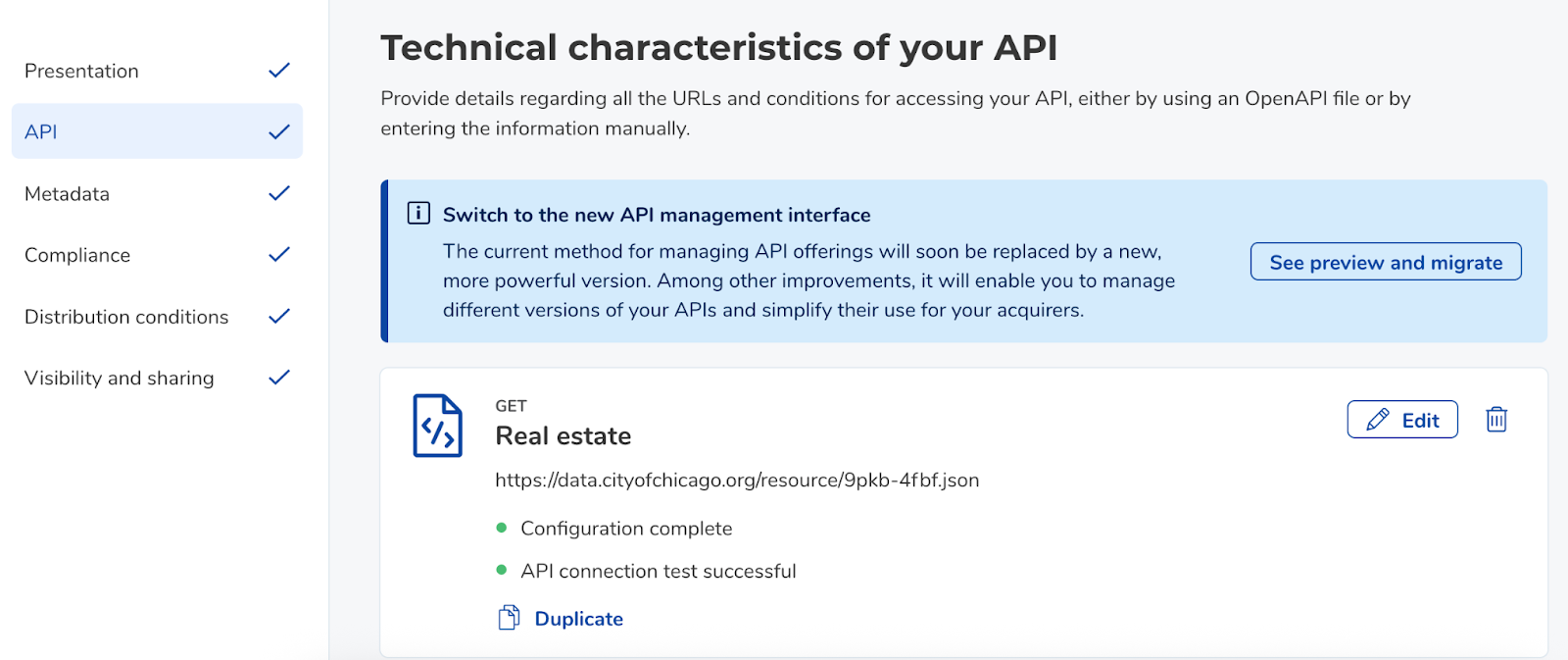
Click on "See preview and migrate"
You can then view the API(s) configured in your data offering, in the new format.
The DXS retrieves all information (URL, parameters, response codes) for each configured endpoint and displays it in a swagger.
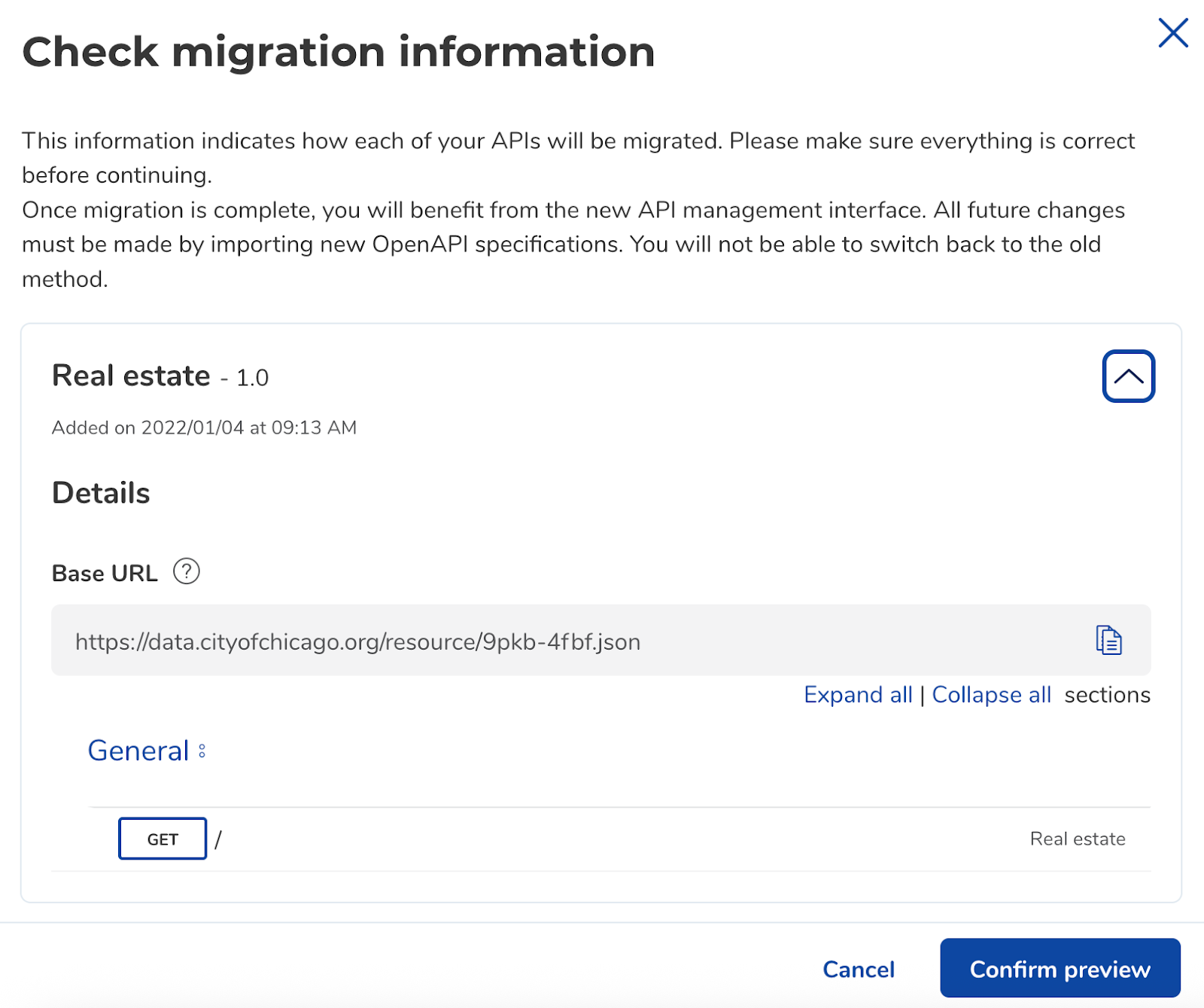

If the result suits you, you can validate by clicking on "Confirm preview".
A final warning informs you that your data acquirers may experience a service interruption of a few seconds, but will not have any manipulation to perform to continue consuming the acquired APIs.
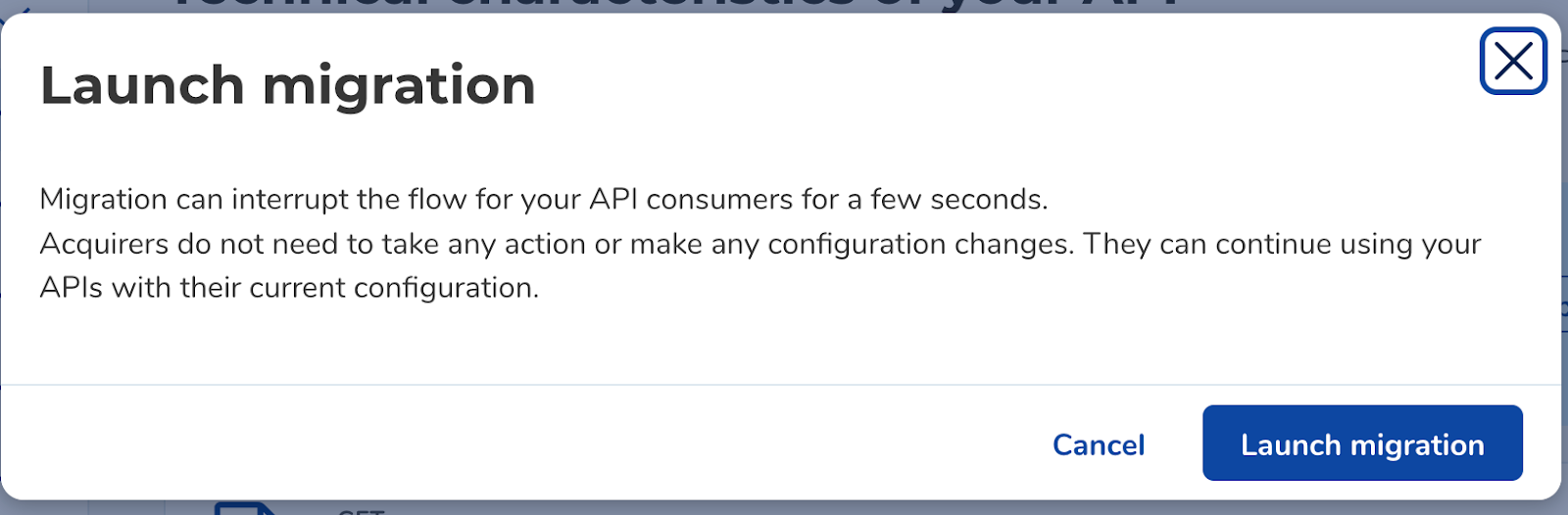
Click on "Launch migration".
When the migration is launched, the DXS will first perform a migration test:
If the test passes, the migration is performed;
Otherwise, an error is displayed, indicating that your API(s) could not be migrated.
Let's do it !
Was this article helpful?
That’s Great!
Thank you for your feedback
Sorry! We couldn't be helpful
Thank you for your feedback
Feedback sent
We appreciate your effort and will try to fix the article