TABLE OF CONTENTS
- What's new in the Data Exchange Services API
- New file format available for data offerings
- The reference contact for a draft data offering is now optional
- Internal visibility of data offerings and acquisitions is evolving
- Cover image editing has moved to the sidebar
- A new user role available for more granular management of technical elements
What's new in the Data Exchange Services API
Participants in a Data Exchange Solution who have a service account can now use:
the “User Accounts” API to create a user, search for a member, and list the members of an organization.
the “Media” API to upload a new media file to the resource center and add it, for example, to the illustrations in a data offering. This new multimedia file can then be associated with resources belonging to the same organization, such as data offerings, service offerings, or use cases

The “Custom Attributes” API to list the configurable metadata for a file, retrieve metadata that has already been recorded, assign specific values to a given file, or filter data offerings based on custom attributes in the Explorer environment.
The “How to Add Rich Presentation to Offerings” cookbook, which helps optimize the presentation of a data offering to make it more attractive to potential data acquirers browsing the catalog.
New file format available for data offerings
To meet user expectations, data providers can now add files in the .DCM format.
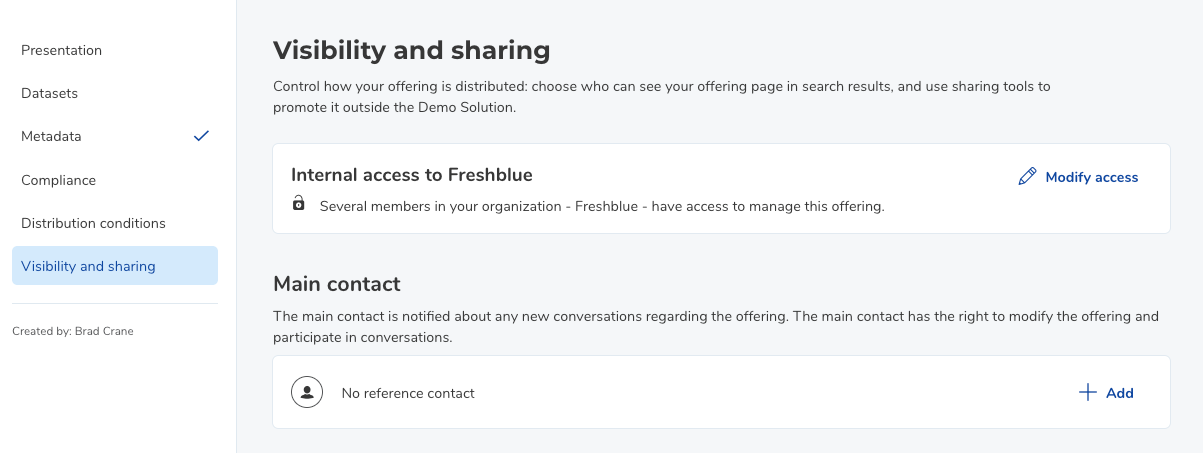
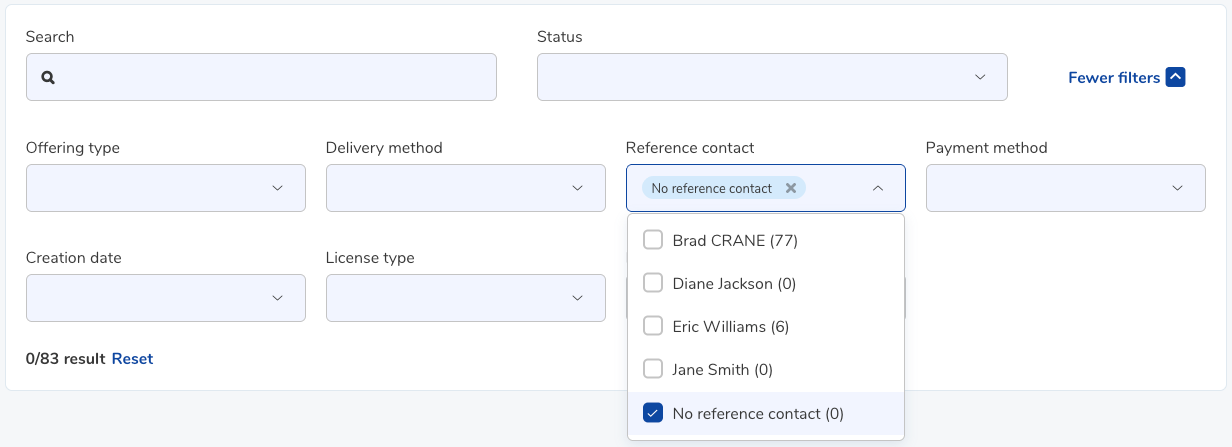
The reference contact for a draft data offering is now optional
It is no longer mandatory to specify a main contact for a draft data offering. This makes it possible, for example, to restore existing data offerings prior to the organization’s deactivation, even if there are no active users.
Internal visibility of data offerings and acquisitions is evolving
A service account can now be included in the internal visibility of an acquisition or data offering that is not shared with the entire organization. This allows the service account to be granted access to the data based on its permissions: read or write. These service accounts appear in the visibility module alongside members, identified by a unique icon and the label “Service account.”
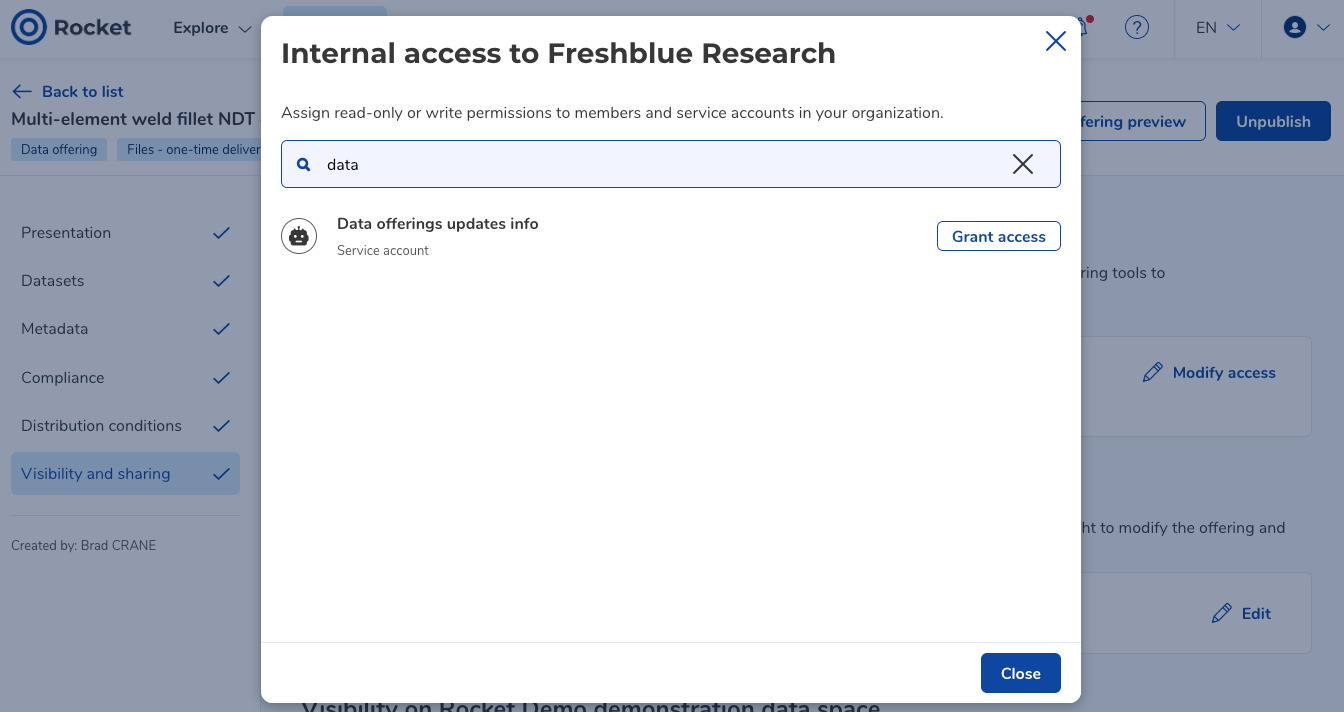
Groups are no longer available within internal visibility: they no longer appear in the module’s search results and can no longer be added. In addition, groups previously associated with data offerings and acquisitions have been removed, resulting in the revocation of access rights that were granted exclusively through them.
Cover image editing has moved to the sidebar
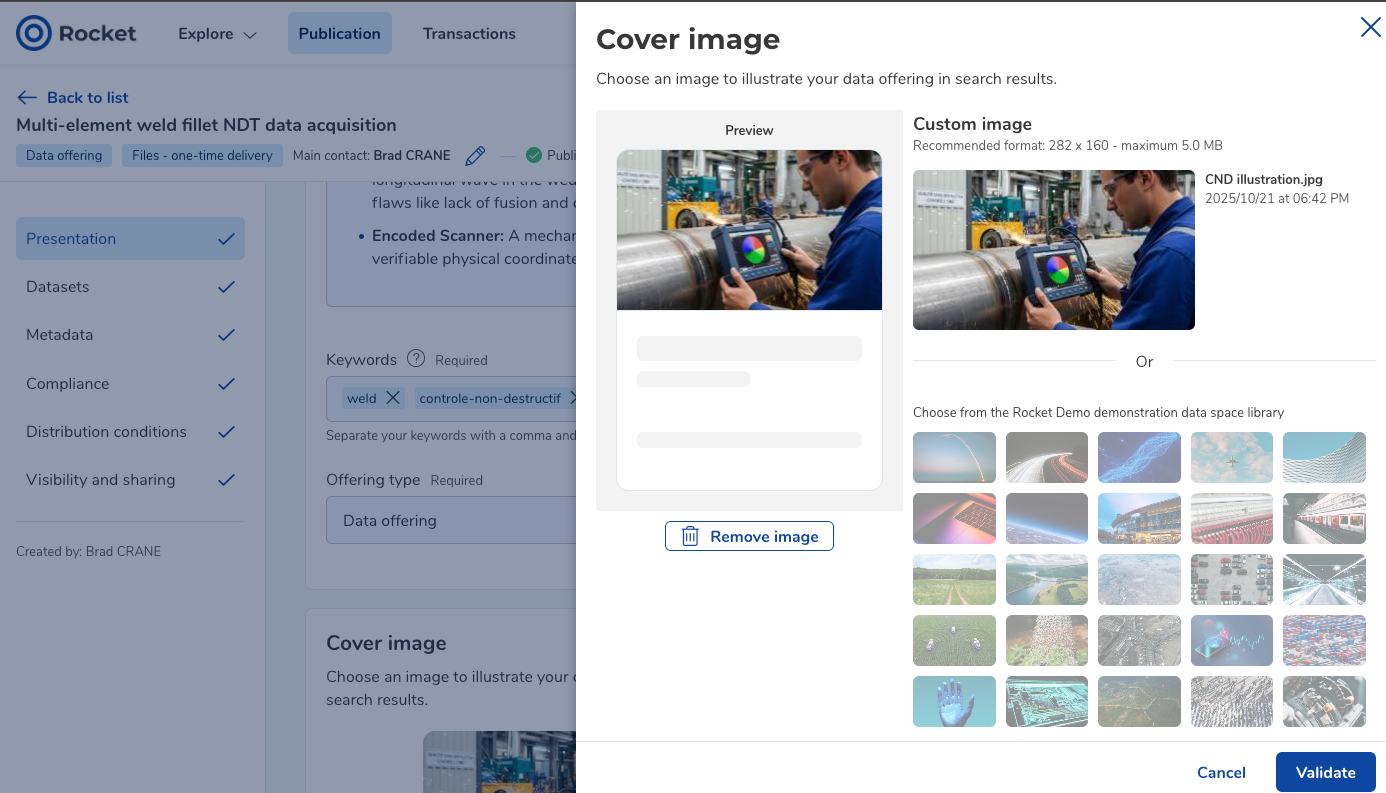
As part of our ongoing efforts to standardize editing workflows, the cover image for publications can now be edited via a sidebar.
A new user role available for more granular management of technical elements
To ensure more granular and secure access management, the new “Technical Administrator” role has been added to the list of roles that can be assigned to members and service accounts within an organization. This dedicated profile allows users to manage security, access, and technical integrations, while restricting access to other business features. Organization administrators can thus delegate all technical tasks to a profile specifically designed for this purpose.

Was this article helpful?
That’s Great!
Thank you for your feedback
Sorry! We couldn't be helpful
Thank you for your feedback
Feedback sent
We appreciate your effort and will try to fix the article