TABLE OF CONTENTS
Participant Portal
DXS API: Data offering visibility conditions added
Users of a Data Exchange Solution who have a service account can now use:
- the Sharing settings API to manage, for a combination of distribution conditions, whether it inherits the visibility of the data offering it belongs to:
- if inheritance is disabled, the combination keeps the data offering's visibility, and this visibility can be edited to restrict the combination to specific organizations, groups or users,
- if inheritance is re-enabled, the combination immediately takes on the data offering's visibility again and follows any subsequent changes to it.
Track your transactions more accurately with the new statuses
Data providers benefit from a clearer overall transaction status:
- Initiated: The transaction has been created, but not all required steps have been completed yet.
- Canceled: Online payment or electronic signature canceled.
- Validated: Online payment and/or electronic signature completed.
- Terminated: Transaction expired by the orchestrator.
New currency available: South Korean won (KRW)
South Korean won (KRW) is now available as a currency on your DXS. Contact your CSM if you would like to enable it.
Removal of the data offering technical identifier (GUID)
A data offering is identified by its ID, displayed on the Participant Portal. The URL of a data offering contains this same ID. The GUID, the former technical identifier of offers, has been removed.

For API integrations: sharing and visibility calls for a data offering use its ID. A call using the GUID returns a 404 "Resource not found" error.
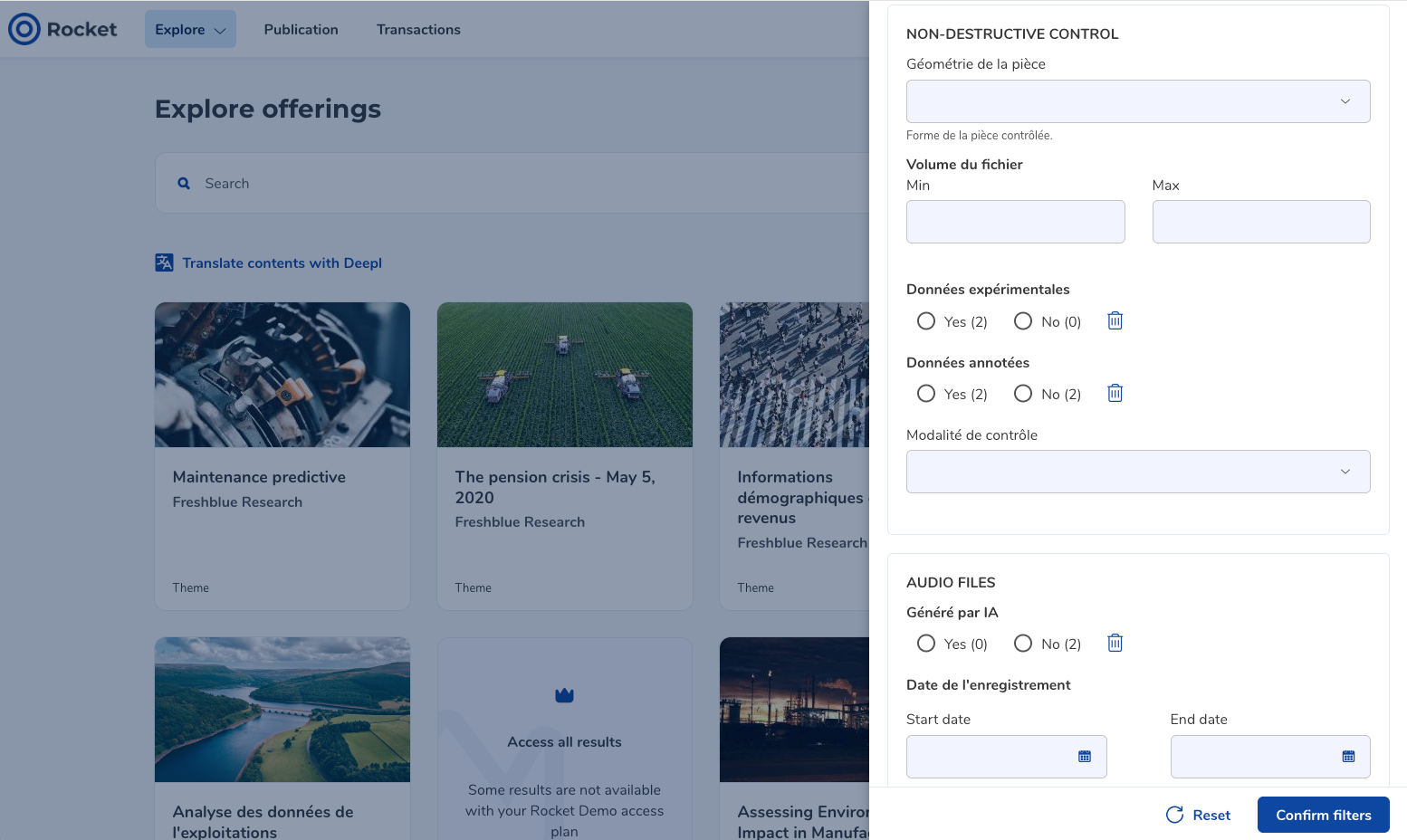
Custom search attributes grouped in advanced search filters
Some file formats have additional metadata, called custom attributes. These attributes are organized into groups, to clearly show which business sector or data type each one applies to.
Grouping applies:
- in the advanced search filters: each custom attribute is attached to its group,
- on a data offering page: the custom attributes filled in are displayed by group. Only groups with at least one completed attribute are shown,
- in the details of saved searches.
Was this article helpful?
That’s Great!
Thank you for your feedback
Sorry! We couldn't be helpful
Thank you for your feedback
Feedback sent
We appreciate your effort and will try to fix the article